
Phone Specifications Explained: What RAM, Chipset, and Refresh Rate Really Mean
Ever feel lost in a sea of phone specs? You see numbers for RAM, chipsets, and refresh rates thrown around in ads, but what do they actually mean for your daily use? This guide cuts through the noise to help you pick a phone that fits your needs without the guesswork.
We focus on three key parts: the chipset as the phone’s brain, RAM for handling tasks, and refresh rate for smooth screens. Unlike camera megapixels that grab headlines, these drive real speed and feel. By the end, you’ll shop smarter.
Understanding the Brain: The Smartphone Chipset (SoC)
The chipset, or System on a Chip (SoC), powers your phone’s every action. It runs apps, manages battery, and handles connections. Think of it as the heart that keeps everything beating smoothly.
A strong SoC means faster loads and less lag. Weak ones struggle with updates over time. Let’s break it down.
CPU vs. GPU: The Performance Duo
The CPU tackles everyday jobs like browsing or emails. It crunches data step by step. A good CPU, say with four or eight cores, speeds up those basics.
The GPU shines in games and videos. It draws graphics on the fly. For smooth play in titles like PUBG, you want a beefy GPU.
Benchmarks help compare. Tools like AnTuTu score overall power. Geekbench tests just the CPU. Check these for real user experiences before buying.
The Role of the Manufacturing Process (nm)
Nanometers measure how tiny transistors are in the chip. Smaller sizes, like 5nm, pack more power in less space. This cuts battery drain and heat.
A 7nm chip runs hot during long sessions. Switch to 5nm, and it stays cool while sipping power. Brands lead here.
Qualcomm’s Snapdragon series pushes 4nm tech in 2026 models. Apple’s A-series stays ahead with custom designs. MediaTek Dimensity offers solid value for mid-range phones.
Neural Processing Units (NPUs) and AI Capabilities
NPUs handle smart tasks right on the phone. No cloud needed for photo edits or voice commands. They speed up AI features like face unlock.
In cameras, NPUs boost night shots by processing data fast. Real-time translation apps run without hiccups. Look for phones with strong NPUs if you love smart assistants.
As AI grows, a good NPU means your phone stays fresh longer. It future-proofs against new apps.
Memory Matters: What RAM Truly Dictates
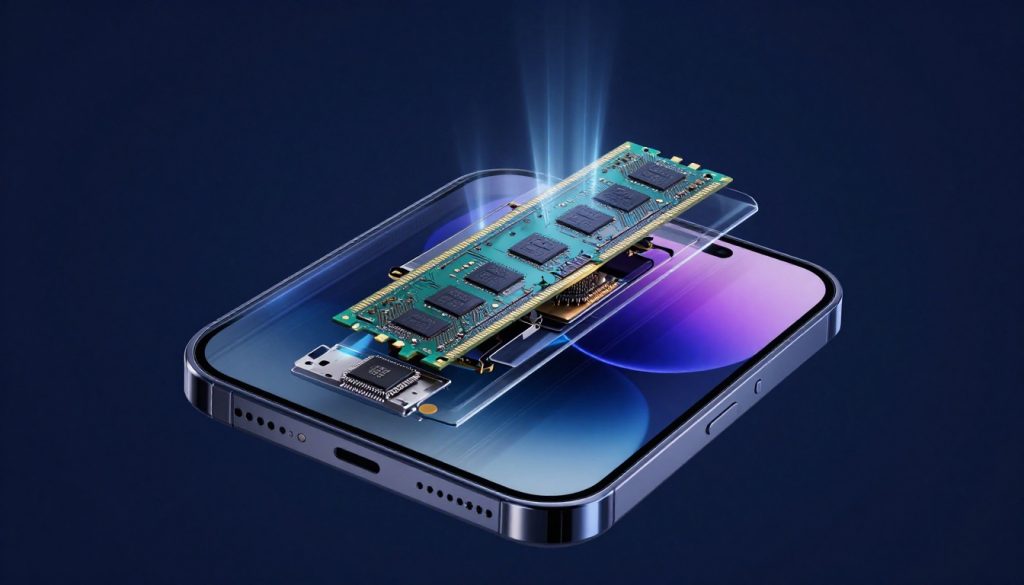
RAM acts as your phone’s short-term memory. It holds open apps so you switch without waits. More RAM lets you juggle tasks easily.
But software matters too. A bloated OS eats RAM fast. Clean systems make even 4GB feel zippy.
Don’t chase endless GB without checking optimization.
Multitasking Efficiency and App Retention
RAM keeps apps in the background ready to go. Low RAM kills them, forcing restarts. This slows you down.
For light use like texts and maps, 4GB works. But aim for 6GB minimum in 2026. It handles social media without stutters.
Moderate users need 8GB for streaming and light edits. Power users juggle 10+ apps, so grab 12GB or more. Test in stores by opening several tabs.
- Start with email and browser.
- Add a game and music player.
- See if it lags.
This shows real multitasking power.
RAM Types (LPDDR4X vs. LPDDR5/5X)
LPDDR4X is older and slower. It guzzles more battery for data moves. Fine for budget phones.
LPDDR5 doubles speed and saves power. Your scrolls feel snappier. LPDDR5X pushes it further for top models.
Newer types mean better life from your battery. Check specs lists for these tags.
RAM vs. Storage (ROM): A Crucial Distinction
RAM vanishes when powered off. It’s for now tasks only. Storage, or ROM, saves files forever.
Mix them up, and you buy wrong. 128GB ROM holds photos; 8GB RAM runs apps. Balance both for a full setup.
Think RAM as workspace, ROM as filing cabinet.
The Display Experience: Refresh Rate Decoded
Refresh rate counts screen updates per second, in Hz. Higher numbers mean silkier motion. It beats resolution for feel.
A 60Hz screen flickers less noticeably. But bump to 90Hz, and pages glide. 120Hz? Pure butter for eyes.
This matters for scrolls, not just games.
Understanding 60Hz, 90Hz, and 120Hz
60Hz is the old standard. It works for calls and basics. But videos stutter a bit.
90Hz smooths web feeds. You notice less blur in fast swipes. Great upgrade on a budget.
120Hz sets the bar for flags. Gaming frames hit high without tears. Even typing feels responsive.
In tests, users prefer 120Hz for daily joy. Battery dips, but adaptive tech helps.
Adaptive Refresh Rate Technology (LTPO)
LTPO screens shift rates on the fly. High for action, low for static reads. This saves juice big time.
Drop to 1Hz for always-on clocks. Jump to 120Hz for videos. Samsung and Google use this well.
It balances fun and life. Without it, high rates drain fast.
Touch Sampling Rate: Reactivity Beyond Visuals
Touch rate measures input catches per second. High rates, like 240Hz, mean quick taps register. Gamers love this for precision.
It’s separate from refresh. A 120Hz screen with 480Hz touch feels pro. Low ones lag in shooters.
Check both for play phones.
Connectivity and Power: Supporting Specifications
These tie into the chipset for real-world use. Fast nets and charges make or break days. Ignore them at your peril.
Chipsets often pack modems and power managers.
Modem Technology (5G Capabilities)
Modems handle data speeds. Integrated ones in chipsets support 5G bands. Look for sub-6GHz for coverage, mmWave for bursts.
Carrier aggregation mixes bands for peaks over 1Gbps. In cities, this means quick downloads. Rural? Stick to strong signals.
Qualcomm leads with Snapdragon X modems. They hit real 5G without drops.
Charging Standards and Power Delivery (PD)
Wattage shows charge speed. 25W fills in an hour. 67W does it in 30 minutes.
PD protocols keep batteries safe. Fast isn’t always best; heat shortens life. Aim for 45W+ on big cells.
Wireless options add ease, but wired wins for hurry.
Actionable Buying Guide: Matching Specs to Needs
Now tie it all together. Match your habits to numbers. No one-size-fits-all.
Think about your day first.
The Everyday User Profile (Browsing, Social Media)
You need basics without fuss. Pick a mid-range chipset like Snapdragon 7 series. It handles feeds fine.
Go for 6GB RAM to keep apps open. A 90Hz screen adds smooth scrolls without much battery hit.
Under $500, options abound. Focus on clean software for longevity.
The Mobile Gamer/Power User Profile
Demand top power. Snapdragon 8 or A18 chips crush games. Strong GPU is key.
12GB RAM minimum for heavy multi-task. 120Hz adaptive display with high touch rate seals it.
Budget $800+. Test in bright stores for heat.
Longevity and Future-Proofing Tips
Newer chipsets get updates longer. Snapdragon 8 Gen 4 in 2026 means years of support.
RAM helps now, but chip age wins later. Avoid last-gen for AI perks.
Buy from brands with good patches, like Google or Samsung.
Conclusion: Spec Sheets Made Simple
RAM boosts multitasking by holding apps ready. The chipset drives speed, efficiency, and smarts through CPU, GPU, and NPU. Refresh rate delivers fluid visuals, enhanced by adaptive tech and touch rates.
Master these, and ads lose their pull. Pick a phone that matches your life, not hype. Ready to shop? Check those core specs next time—you’ll thank yourself.